Case studyPersonal · tool · MCP02 / 05 in Lab
Lottie Theme
The agent must look at what it rendered.
- Role
- Solo · design, front-end, tooling, AI
- Timeline
- 2026 · ~1 month
- Stack
- TypeScript · Next.js · React · Zustand · lottie-web · Tailwind CSS · shadcn/ui · MCP SDK · Anthropic SDK · GitHub Actions
- Status
- Live · open source
Problem
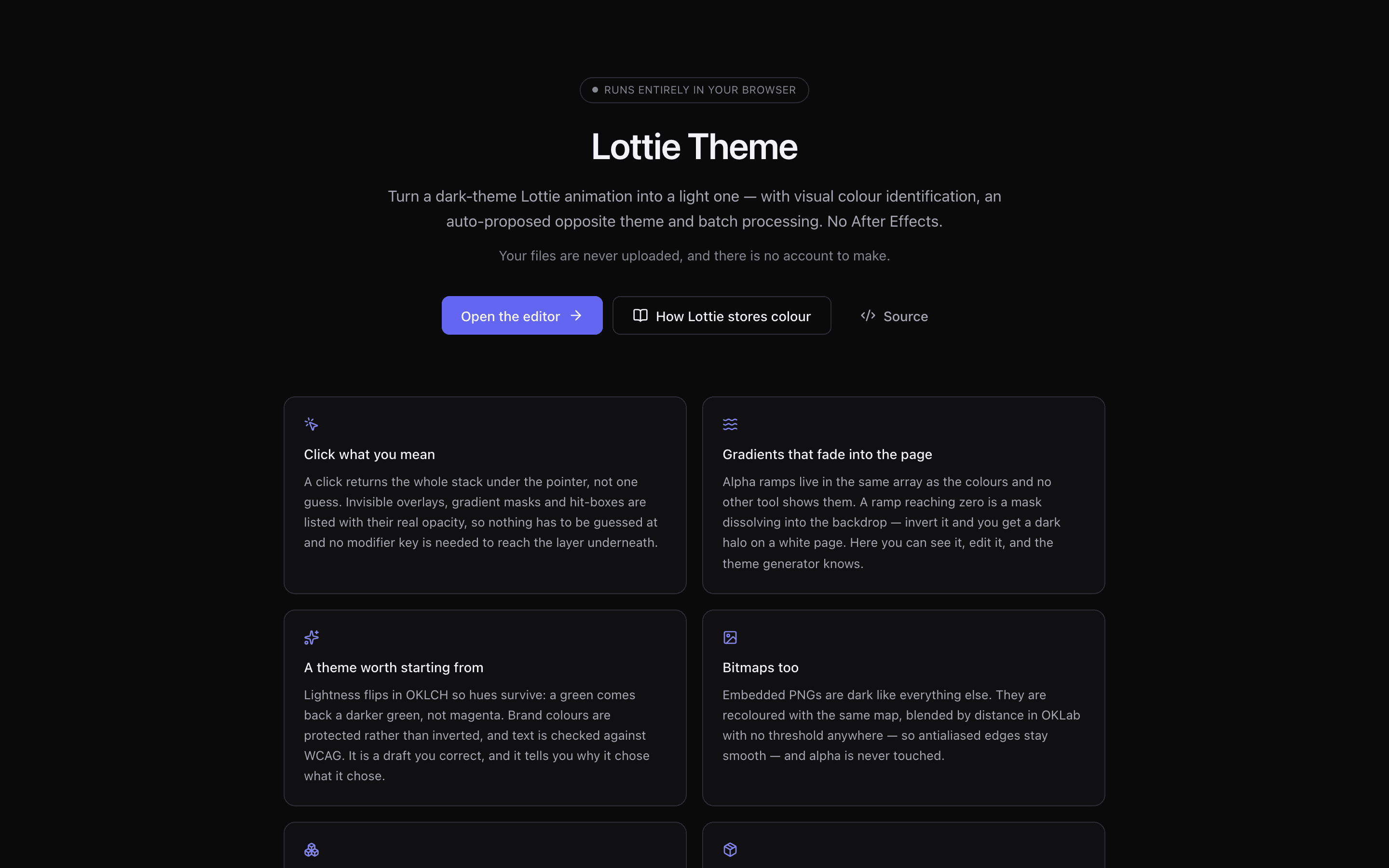
A designer who needed the same animation in another theme or palette, light instead of dark or in brand colours, had no tool short of After Effects. I built one core with three ways in: a web editor, a CLI and an MCP server with 12 tools, published as 4 npm packages. The agent recolours a file, renders it and checks the result before it hands it back.
Dark-theme Lottie animations often have no source file left, and exporters scatter colour across eight different JSON shapes. Simply inverting lightness gives washed-out greys and dark halos on a white page.
What I built
- 01
Click-to-recolour editor
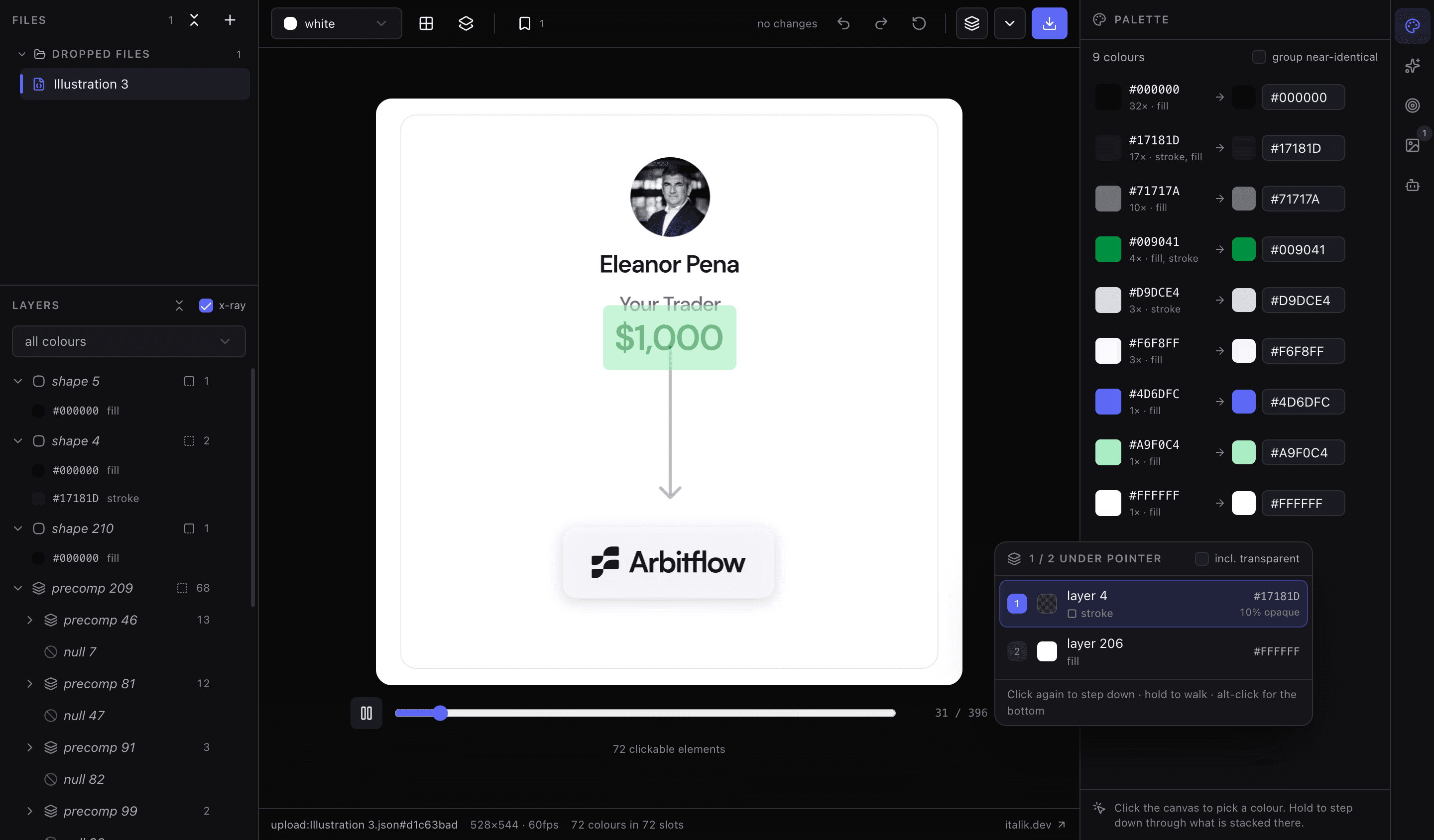
Palette, layer tree, gradient stops you can add and remove (animated ramps too), shadow colours, pick from canvas and match to a reference screenshot. One undo stack; files stay in the browser, kept in IndexedDB between visits.
- 02
Batch CLI
report, suggest, apply and batch: work out a theme on one animation, then apply it to a whole folder. Themes match by colour, so they carry over to other files.
- 03
MCP tools with a renderer
12 tools let an agent read palettes, gradients and effect colours, edit them, then render the result on the target background to check its own work.
- 04
Live editor–agent bridge
An agent sees the open file and the selected colour, and its edits land in the editor as undoable steps.
Architecture
Lottie Theme
The core holds all colour logic in plain TypeScript, with no filesystem or UI code. The LLM only chooses edits and calls tools; it never touches the JSON directly.
- Input
- Code
- LLM
- Output
01 · Input
Lottie JSON dropped or read from disk
Screenshot sampled for reference colours
02 · Code
Find colour slots in eight JSON shapes
Build palette, gradients, effects; draft opposite theme with a WCAG audit
03 · LLM
Agent picks edits via tool calls
04 · Code
Apply the edit set, render in Chrome / lottie-web
05 · LLM
Agent looks at the render, corrects
06 · Code
Write file, edit set kept in meta
07 · Output
Editor canvas, undo stack, CLI output
Decisions & trade-offs
Chose one core package with thin shells over separate logic for the editor, CLI and agent
because a hand edit, a script and an agent have to come out identical, so every colour rule lives once, in the core.
Chose themes matched by colour over themes matched by slot index
because a saved theme applied to a folder used to recolour other files by slot position, silently. Now a theme is portable and stamped with the structure it came from.
Chose sending edit sets between editor and agent over sending whole animations
because an agent's change arrives like a click, lands in the same undo stack and reverts as one step. Nothing is written to disk until the user presses write.
Chose calling the API straight from the browser over a backend proxy
because the deployed app has no server, so files never leave the machine. The cost is that the user brings their own key, stored only in that browser.
AI specifics
- Models
- Opus 5.5 by default, Sonnet 5.5, Haiku 4.5, Fable 5.1, or any OpenAI-compatible endpoint; the user's own key
- Grounding
- Tools return real document data; the agent must check the rendered canvas
- Tool use
- Browser: Anthropic tool runner, 16-step cap. MCP: 12 tools incl. render_preview
- Memory
- Conversation saved per file and survives panel switches; the edit set can be embedded in the file
- Cost controls
- Prompt caching, stale tool results cleared, per-request spend ceiling, live cost readout
- Tests
- Pixel eval of the light theme; agent end-to-end checks on a scripted API; no eval of a real model yet
What I'd do differently
I'd put a test on every flow the README promises before writing it down. "Save a theme, apply it to a folder" was documented and quietly recoloured other files by slot index. Path checks in the MCP server, sync hub and dev server followed symlinks lexically, so a link inside the workspace could reach any file. Both are fixed now and covered by tests.
Results
All four packages are on npm (v0.1.0), released from a git tag with provenance. CI runs typecheck, tests, a production build and browser smoke tests on every push. Unit tests cover the core, the CLI, the sync bridge and the MCP server, with browser smoke checks and agent and editor end-to-end checks on top. A pixel-based eval of the light-theme suggestion drove the latest algorithm: mean lightness on the card fixture went from .65 to .80, and contrast findings from 11 to 0.
Next
An eval of how well a real model recolours, not only the tool pipeline. Large soft shadows on light pages, which lottie-web clips to the layer box. Trusted Publishing on npm instead of a token. Fresh before/after examples in the README.